Kingsoft WPS · Independent 2026 handbook
WPS Office: free Writer, Sheets, Slides & PDF
WPS Office is a free Microsoft Office alternative from Kingsoft. One installer covers Writer, Spreadsheet, Presentation, and PDF. This independent handbook maps official downloads, first-week setup, reader workflows, and the fixes people search after install.
We never host installers. Links go to wps.com, the Microsoft Store, Google Play, or the App Store.
Since 1988
From Super-WPS on DOS to today’s AI-assisted suite from Kingsoft.
500M+ users
Vendor copy cites hundreds of millions of monthly users across desktop and mobile.
47 file types
DOCX, XLSX, PPTX, and PDF sit at the center. Conversion is built in.
4.5 / 4.8
Play Store around 4.5 from millions of ratings; App Store around 4.8 (Gizmodo, Aug 2026).
The suite
Five rooms in one window, not five subscriptions.
Kingsoft’s pitch is a Microsoft-shaped ribbon, a PDF toolkit that tries to stand in for Acrobat, optional cloud sync, and WPS AI. Free covers school and small-office writing. Paid is mostly ads-off, heavier PDF, OCR, and extra cloud.
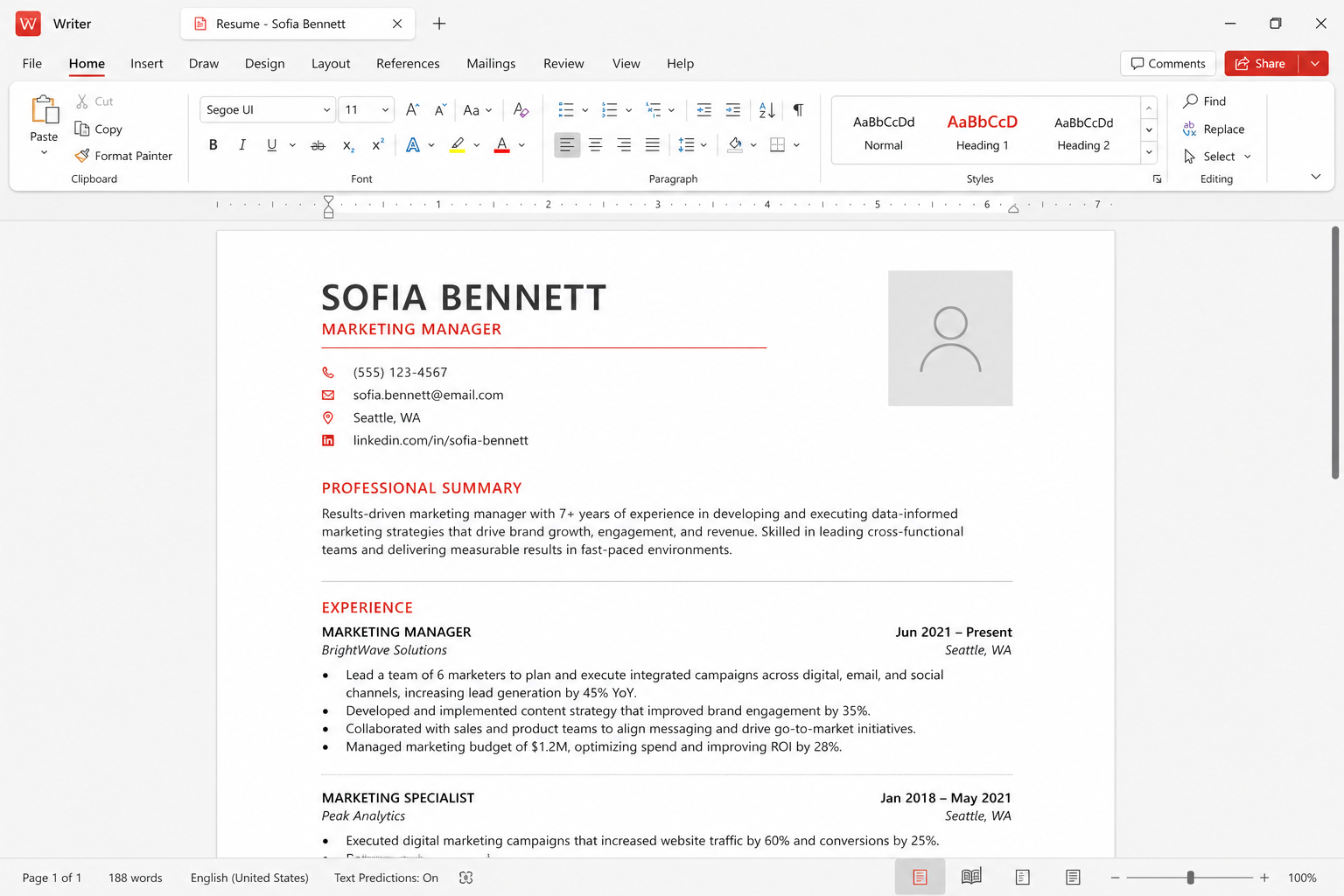
01 · DocumentsWriter
DOC and DOCX with a ribbon that already feels like Word.
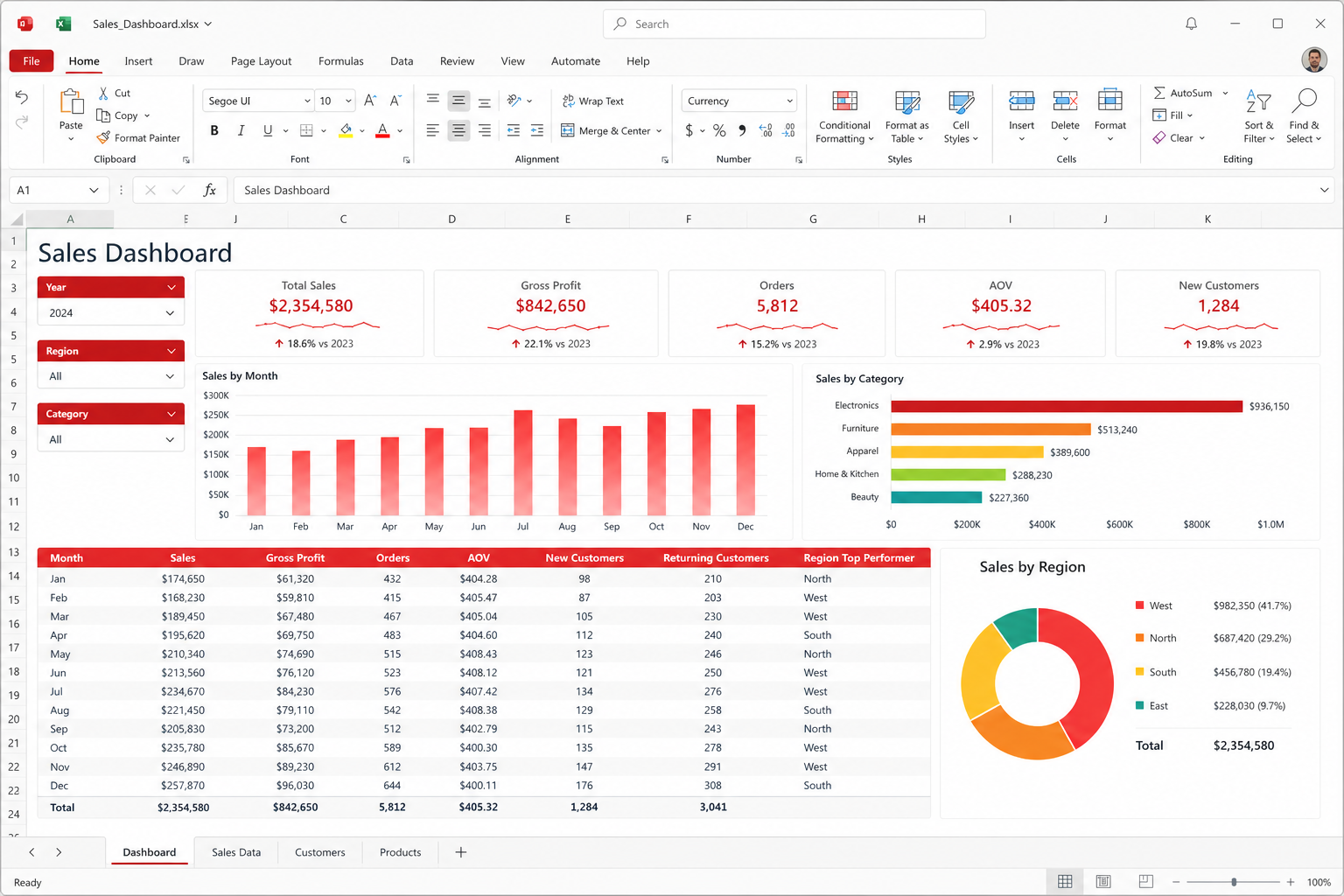 02 · Data
Spreadsheets
XLSX, charts, and a 64-bit build for heavier workbooks.
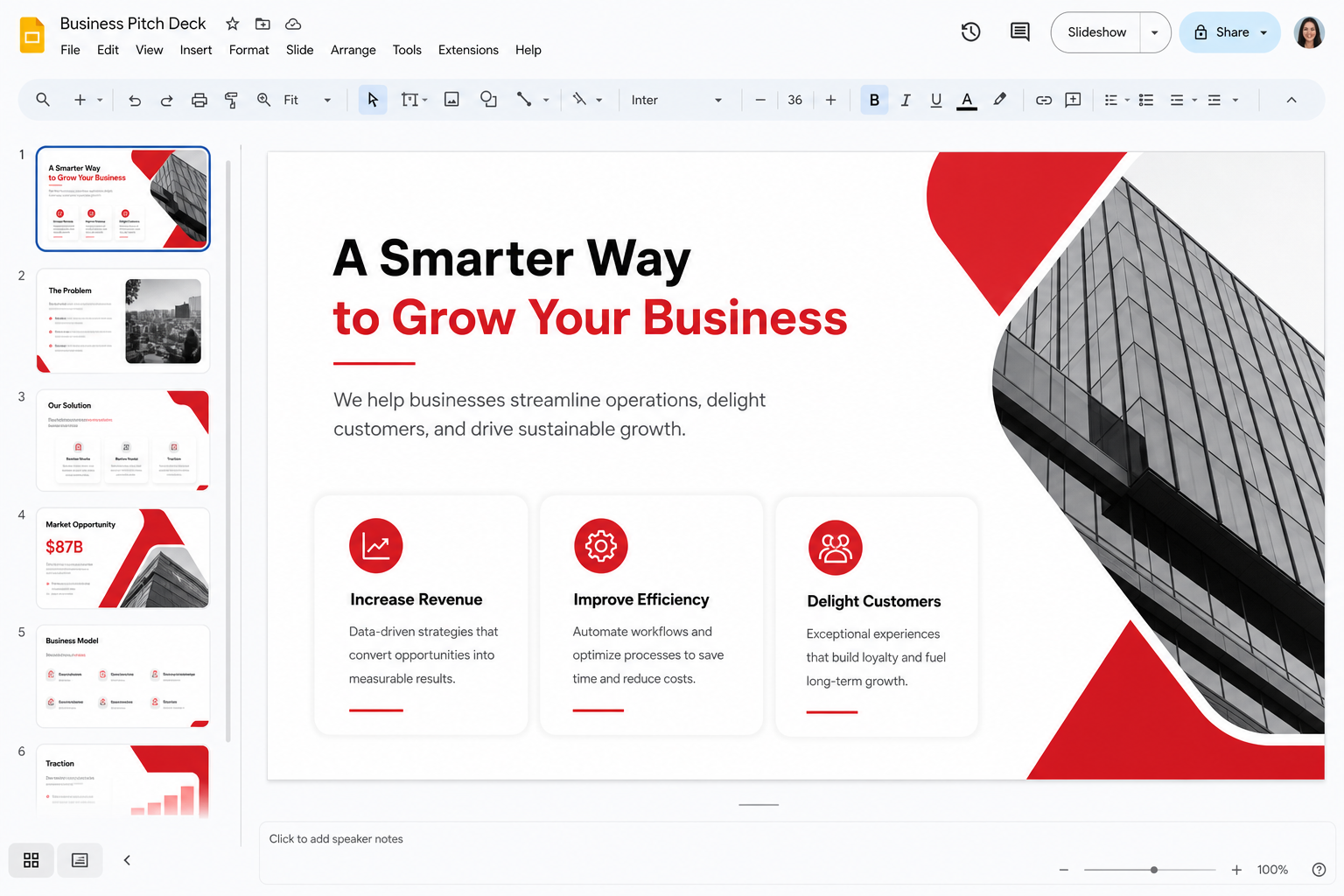 03 · Decks
Presentation
PPTX, templates, presenter view, and AI first drafts.
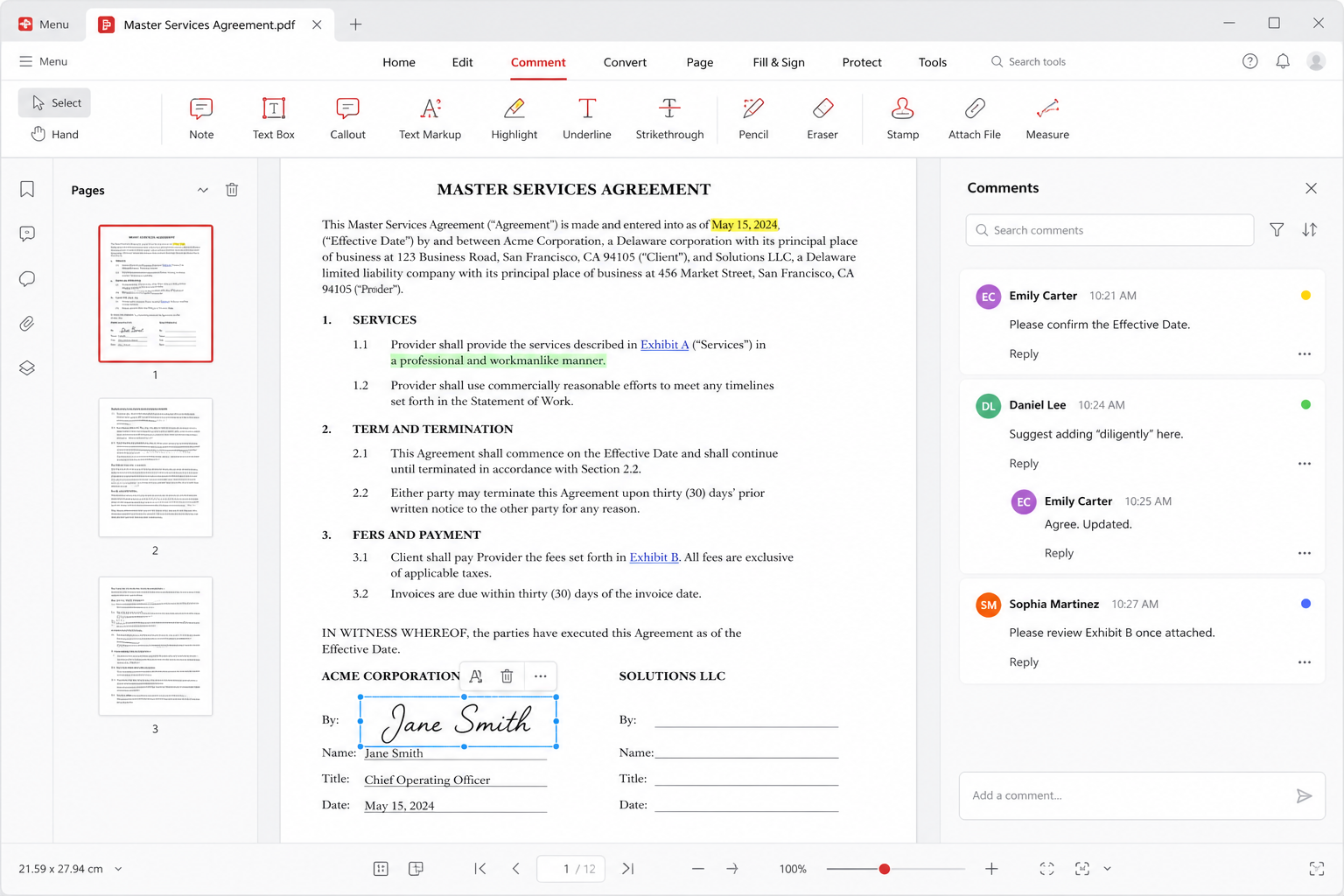 04 · Paperwork
Annotate, convert, sign. OCR often sits behind Premium.
 05 · Copilot
WPS AI
Draft, summarize, ask a PDF, sketch a deck — then verify every number.
 06 · Sync
Cloud
About 1 GB free, around 20 GB on paid plans, plus third-party drives.
Read this first
What the free suite actually does
You can write letters and theses, build homework sheets and invoices, design a twelve-slide pitch, and open the PDF someone mailed you. The ribbon is meant to feel like Word, Excel, and PowerPoint on purpose. For a cheap laptop or a semester without Microsoft 365, that is usually enough.
- DOCX, XLSX, and PPTX as daily formats — set defaults on day one.
- A PDF reader with comments; heavy convert, OCR, and sign often sit behind Premium.
- Phone apps on Play and the App Store, plus Linux Deb/RPM packages that open campus PPTX files.
- Optional Cloud and WPS AI. Skip both if you only work on one encrypted disk.
Honesty
What this site will not pretend
We do not host EXE, DMG, Deb, or APK files. We do not publish cracks. Search ads that say “WPS Office 2026 Full” are how people get a second, real problem. Install from named stores, then come back here when a file misbehaves.
- Outlook, Teams, and SharePoint still belong to Microsoft 365.
- Five people typing at once still belongs to Google Docs.
- A VBA factory workbook should stay on Excel. Open it read-only in WPS.
- Vendor user counts are marketing unless a filing says otherwise.
Safe downloads
Pick the channel on purpose. Search ads lie.
Kingsoft’s product is free to install. The risk is fake download buttons. Use the vendor site or a platform store, then read the first-week notes so ads, defaults, and cache do not surprise you.
Windows
Website installer or Microsoft Store listing 9NSGM705MQWC. Dual-core, 2 GB RAM, 4 GB disk recommended.
macOS
Native Apple silicon and Intel. Reviewers have long noted a small install versus Word alone.
Linux
Official Deb and RPM. Plan extra time for Windows symbol fonts.
Android
Play Store app cn.wps.moffice_eng — still one of the densest mobile editors.
iPhone & iPad
App Store around 4.8 stars. iPad build advertises Apple Pencil and multi-window.
After install
Decide later whether ads, PDF quotas, or 20 GB cloud justify a paid plan.
Field notes
People do not search for feature lists. They search for stuck files.
The stories on this site are composite notes from public reviews and support threads: campus PDF hand-ins, overnight spreadsheet closes, cafe freelance work, and a shop owner’s invoices. Names are representative. The workflows are real.



Common questions
Quick definition
What is WPS Office?
WPS Office is a free office suite by Kingsoft Office Software Corporation Limited. It opens and saves Microsoft Word (DOCX), Excel (XLSX), PowerPoint (PPTX), and PDF files in one lightweight app. The core modules are Writer, Spreadsheet, Presentation, and a PDF toolkit. Optional extras include WPS Cloud, templates, Photo tools, and WPS AI.
The free Standard plan is enough for school papers, invoices, and everyday slides. Ads, extra cloud (about 1 GB free versus about 20 GB paid), OCR, and advanced PDF convert/sign are the usual upgrade nags. Confirm current prices on the official buy page. Install only from named stores — this handbook never hosts EXE, DMG, Deb, or APK files.
Kingsoft help still cites a modest Windows floor: dual-core CPU, 2 GB RAM, 4 GB disk. macOS covers Intel and Apple silicon. Linux ships Deb and RPM. Mobile lives on Google Play and the App Store. Gizmodo’s August 2026 directory listed Play Store ratings around 4.5 from millions of votes and App Store around 4.8.
Compact keywords people search
Jump to the page that matches the query.
Short phrases, one hop. Use these if you arrived from Google, Bing, or Yandex and want the exact article — not a homepage tour.
Who it is for
Pick a lane. You do not need every module on day one.
Students
Essays in Writer, lab sheets, class slides, and PDF hand-ins on a cheap laptop.
Teachers
Handouts, grade trackers, and decks — plus when school 365 or Classroom still wins.
Small business
Quotes, invoices, signed PDFs, and a Sharing plan that is cheaper than a 365 seat.
Linux users
Official Deb/RPM, then the fonts guide when Calibri and Wingdings collapse.
Cautious IT
Official channels only, update hygiene, and a clear “not a government cert” note.
Still deciding
Microsoft, Google, LibreOffice, or WPS — match the job, not the brand.