Data · WPS Spreadsheet
Formulas and charts that feel like Excel, until a macro or a pivot gets clever.
Spreadsheet is the numbers room in WPS Office. XLSX is a first-class format. Everyday formulas, charts, and filter-heavy sheets work. Factory workbooks that depend on VBA are where this handbook tells you to stay cautious.
Mail merge data
Clean columns here, then merge letters in Writer. One messy cell becomes twenty ugly envelopes.
Ask the sheet
WPS AI can summarize a table. It can also invent a total. Check every number against the cells.
Sync with care
About 1 GB free cloud is not a data warehouse. Keep payroll files local and backed up.
Where Spreadsheet sits in the suite
Kingsoft’s suite is Writer, Spreadsheet, Presentation, PDF, and Photo, with WPS AI and Cloud as optional layers. Spreadsheet is the workbook app. It opens the same XLSX files your accountant emails, and it saves them so Excel can open them again. Across the suite Kingsoft cites 47 formats. For this app, XLS and XLSX are the formats that pay the rent. CSV is the format that survives a trip through a bank portal.
The core suite is free. Ads are common. Paid plans usually buy quieter screens, extra cloud (around 20 GB versus about 1 GB free), and PDF extras that are not the subject of this page. Install only from the official download center or Microsoft Store product 9NSGM705MQWC. Search-ad installers are a security problem, not a convenience. Read download and is it safe first.
Formulas you can trust, and ones you should test
SUM, AVERAGE, IF, VLOOKUP, XLOOKUP (when present in your build), INDEX/MATCH, TEXT, DATE, and the usual arithmetic operators are the daily language. If you already think in Excel, you will not need a new mental model. Named ranges, absolute references with the dollar sign, and fill-down behave as you expect. Start a homework sheet or an invoice book the same way you would in Excel: one header row, one idea per column, no merged cells in the data block.
Where people get hurt is not the simple formula. It is the workbook that grew for five years inside Excel and now contains array formulas, dynamic spilled ranges, Power Query steps, or custom number formats tied to a regional setting. Open those files read-only the first time. Recalculate. Compare a known total. If a dashboard shows blanks where Excel showed numbers, do not “fix” the live file until you have a copy.
Circular references and iterative calculation are another quiet trap. A sheet that relies on Excel’s iteration settings may sit at a different value in WPS. If a model is the kind of thing a bank or a lab would audit, keep it on Excel or export values. Alternatives are allowed to be 95 percent compatible. The last 5 percent is why this handbook exists.
Charts, filters, and pivot-ish tools
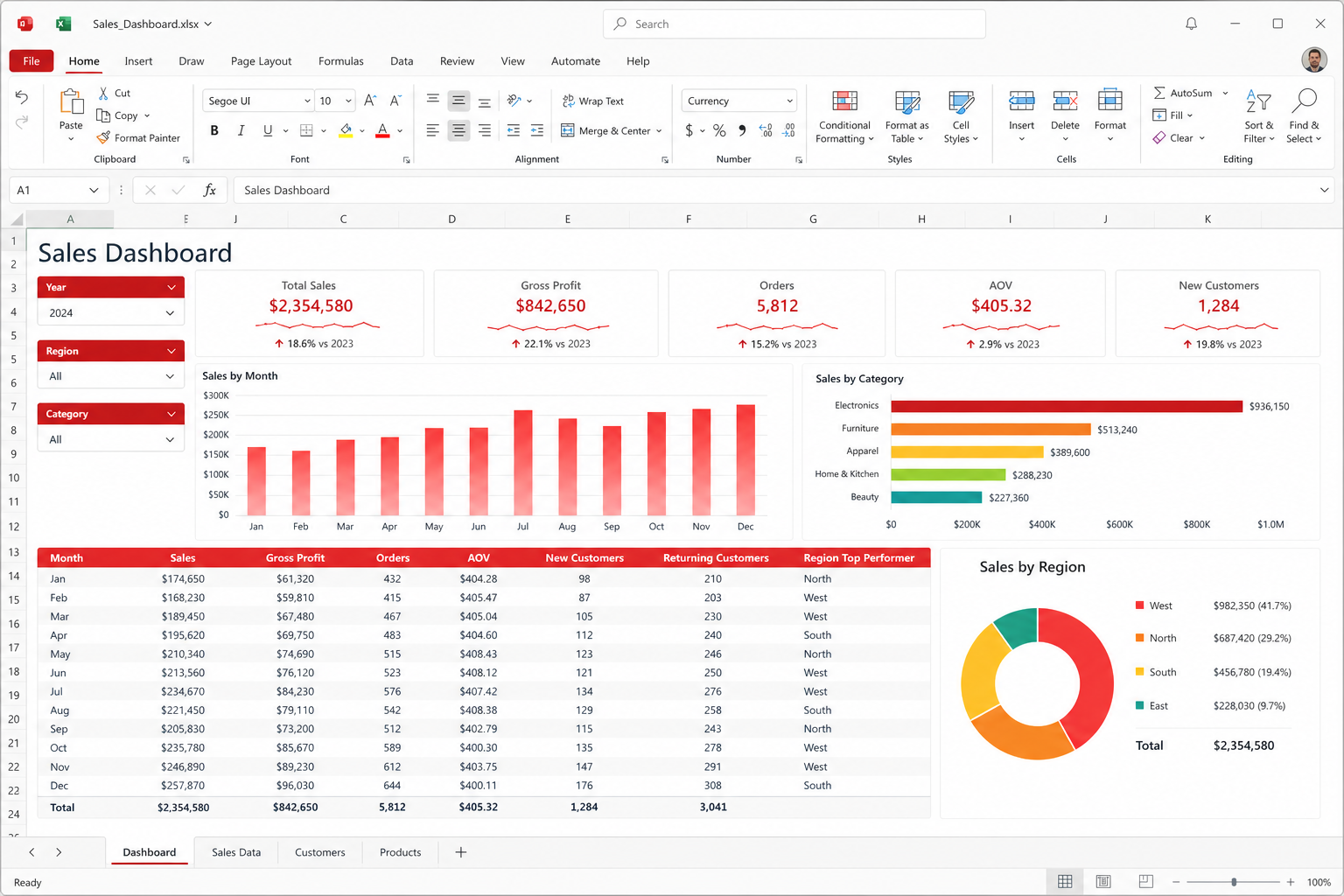
Charts are good enough for a class report, a shop’s monthly sales, and a grant chart that needs to look like a chart. Column, bar, line, pie, and scatter cover most honest stories. Spend time on the axis titles and the source range, not on 3D effects. If a chart must match a house style, build one clean example and duplicate it. Do not restyle twelve charts by hand the night before a meeting.
AutoFilter and tables (the Excel-like “format as table” idea) are how you live in a 5,000-row export from a point-of-sale system. Freeze the header row. Filter one column at a time. Use a helper column for a status flag instead of coloring cells as your only signal. Color is a hint; a column you can filter is a record.
Pivot-style summaries exist. Treat them as pivot-ish, not as a promise that every Excel PivotTable cache, calculated field, and timeline slicer will survive a round trip. For a simple “sum of sales by month and region,” you will probably be fine. For a cube-like corporate workbook with half a dozen pivots feeding a dashboard, verify on Excel before you retire the Microsoft license. The compare page is blunt about that line.
VBA macros: assume they can fail
This is the warning that belongs in bold even though this page will not shout. VBA macros written for Excel can fail in WPS Spreadsheet. They can fail silently, fail halfway, or refuse to run. ActiveX controls, Windows-only API calls, and macros that drive Outlook or other Office apps are the usual casualties. If a factory workbook “is the process,” do not migrate the process onto WPS and hope. Open the file read-only to look at values. Keep the macro machine on Excel.
If you are the person who writes small macros, keep them tiny and test on both suites. Better: replace a fragile macro with a formula, a filter, or a documented manual step. The hours you spend debugging a host difference are hours you could spend cleaning the data. Security is a second reason to be calm about macros. Disable macros on files from email. A yellow bar that wants to enable content is not a suggestion; it is a decision. See security.
CSV, locale, and the decimal-point ambush
CSV looks simple and then ruins a Monday. If your Windows region uses a comma as a decimal separator, a CSV from a US system can split columns in the wrong places. Open the text import dialog. Set the delimiter on purpose. Check whether dates arrived as dates or as text that only looks like dates. A column of “03/04/2026” is a cultural argument, not a number. Prefer ISO dates (2026-04-03) when you control the export.
Never use a spreadsheet as the only copy of a membership list or a medical log. Export a CSV backup to a folder you back up. Cloud sync is optional. WPS Cloud offers about 1 GB free and around 20 GB on paid plans — useful for a few active workbooks, not for a warehouse of raw exports. Cloud notes and collaboration explain when a shared link is enough and when it is not. Google Sheets still wins when many people type in the same grid at once.
Printing, PDFs, and the meeting-room test
Print area, page breaks, and “fit to one page wide” are the features that decide whether a budget sheet survives a projector. Set the print area. Repeat the header row on each page. Check landscape versus portrait before you walk into the room. When the sheet must not be edited, export PDF. The PDF toolkit can annotate the exported file; do not keep marking up the live workbook as if it were a slide.
Large pictures embedded in sheets bloat files the same way they do in Writer. Crop first in Photo or an external editor. A dashboard that takes forty seconds to open on a 2 GB laptop is a design problem, not a badge of seriousness.
WPS AI and numbers
WPS AI can draft a narrative from a table or suggest a chart type. It cannot see your actual cash. If you ask it to “explain this P&L,” read the cells it cites. Daily AI limits apply on Pro+; free users meet the wall earlier. Do not paste payroll or patient tables into a prompt. The AI handbook repeats that rule because people forget it when the chat box is convenient.
A workbook checklist
- Save daily files as XLSX unless a portal demands XLS or CSV.
- Keep one header row and no merged cells in the data block.
- Recalculate and compare known totals when a file arrives from Excel.
- Treat VBA as untrusted and possibly broken. Keep process-critical macros on Excel.
- Import CSV with an explicit delimiter and date format.
- Use filters and helper columns; use pivots for simple summaries and verify the rest.
- Export PDF for meetings; keep the XLSX as the source of truth.
- Leave confidential sheets off Cloud and off AI unless policy says otherwise.
Related: all apps, guides, free versus Premium, templates for invoice skins, and official downloads.