Copilot · WPS AI
A draft machine with a daily meter. Useful, then wrong, then useful again if you check.
WPS AI can draft, summarize, chat with a PDF, and sketch slides. Pro+ still has daily AI limits. This independent handbook treats the chatbot as an intern: fast, unpaid in confidence, and never the signer of the letter.
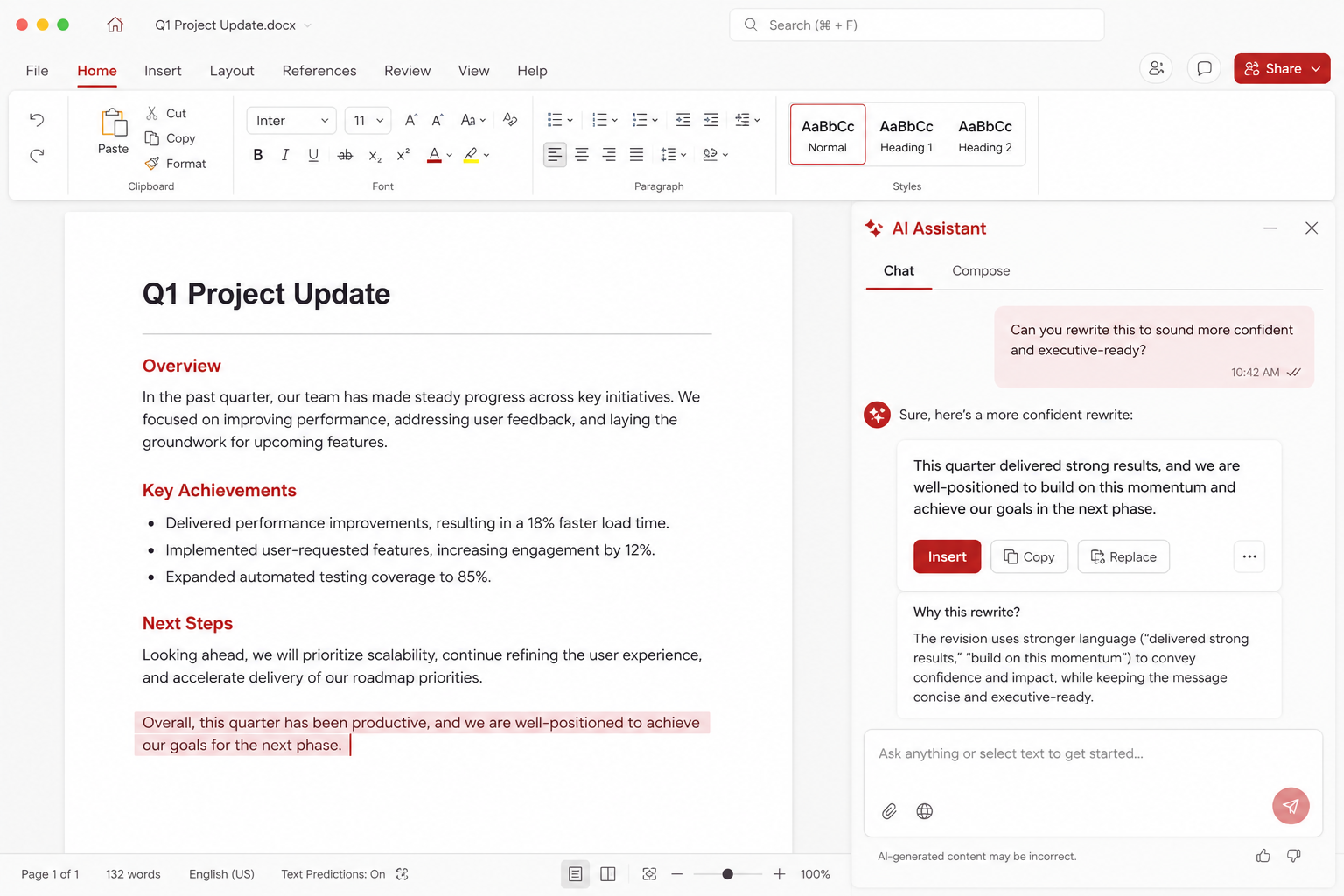
Where AI sits in the suite
WPS Office is still a conventional suite: Writer, Spreadsheet, Presentation, PDF, and Photo. WPS AI is a layer on top, not a fifth document type. You open a file you already understand, then you ask for a rewrite, a summary, a quiz from a chapter, or a first deck. Cloud is optional storage; AI is optional language. You can ignore both and still write a thesis in DOCX, a budget in XLSX, and a talk in PPTX. Those Microsoft formats stay first-class. The suite still cites 47 formats. None of that requires a chatbot.
The core editors remain free. Ads are common. AI is one of the features that meets a wall: a login, a trial, or a daily quota. Pro+ plans advertise AI with daily limits rather than an infinite hose. Free users meet the wall sooner. Exact counts move; treat any number you saw in a blog last year as stale. Look at the meter in your build. Official software still comes from wps.com/download or Microsoft Store 9NSGM705MQWC. A “WPS AI unlock” installer is malware weather. See download, free versus Premium, and security.
Draft: the good intern, the bad lawyer
Drafting is the job AI does with the least shame. “Write a polite email that the shipment is late and offer two dates” is a fair prompt. You still choose the dates. You still know whether the customer is a hospital or a hobby shop. Tone is cheap to generate and expensive to get wrong. Read the draft aloud. Delete the sentence that sounds like a press release. Keep the sentence that says the actual next step.
Long-form drafting is where people get lazy. A three-page policy, a grant narrative, or a medical information sheet must be yours. AI will invent a statute number that looks real. It will cite a study that does not exist. It will smooth a paragraph until it no longer matches the table in Spreadsheet. Use it to break a blank page, then write. Styles, fonts, and mail merge in Writer remain human tools. AI does not know your letterhead margins.
School rules matter. If a course forbids generative text, do not use it. If a course allows it with citation, say so. This handbook will not help you hide the tool. It will help you avoid pasting a hallucinated bibliography into a portal that a librarian will check.
Summarize and chat with a PDF
Summarize is useful when the file is long and the question is small: “Where is the termination clause?” “What is the due date on page four?” Chat-with-PDF shines on digital text PDFs. It dims on scans until OCR has run, and OCR in WPS is often a Premium feature. If you cannot select the text with a cursor, the model is guessing from a picture or from nothing. The PDF page explains that fork.
A summary is a map. It is not the territory. Open the page the chat cites. If it cannot cite a page, distrust it. Contracts, clinical notes, and exam extracts deserve this stubbornness. Do not upload files you are not allowed to upload. A “private” chat box still leaves your machine, your account, and a vendor’s processors. If your job has a data-classification policy, follow it. Local files in Writer do not require AI. That is a feature.
AI slides and the generic deck
Ask for a twelve-slide outline and you will receive a title, a problem, three pillars, a timeline, and a thank-you. That is a starting grid for Presentation. It is also the same grid everyone else received. Swap the template for something quiet from the templates shelf — Kingsoft claims 100,000-plus designs; quality varies — and rewrite every claim. Put real charts from your sheet on the wall. Crop screenshots in Photo. Speaker notes can be AI-drafted and then shortened until they sound like you at 8 a.m.
Daily limits bite here because slide generation is greedy. If you burn the meter on five throwaway decks, the rewrite you needed at 10 p.m. will wait until tomorrow. Outline first. Generate once. Edit for an hour. That is a better use of Pro+ than “make it nicer” six times.
Spreadsheets, numbers, and false precision
Asking AI to “explain this table” can produce a fluent paragraph that cites the wrong total. Fluent is the danger. Compare the sentence to the cells. If you need a pivot-style summary, use the sheet’s own tools; they are imperfect next to Excel, and VBA macros can fail, but they still add cells rather than vibes. See Spreadsheets and compare.
Never paste payroll, patient lists, or unpublished exam items into a prompt to “make a chart story.” Type a synthetic example instead. The story structure can transfer. The identities cannot.
Collaboration is still a human sport
AI does not replace comments or track changes. It can draft a reply to a comment that you should still edit. Cloud co-edit is a separate feature with its own limits; many people typing at once still go to Google Docs. Collaboration and Cloud (about 1 GB free, around 20 GB paid) are the practical pages. AI plus Cloud means more of your text may leave the building. That is a reason to keep some folders local.
A working method that wastes fewer tokens
- Decide the job: outline, rewrite, summarize, or slide skeleton — one job per prompt.
- Paste only the minimum excerpt. Leave names and account numbers out.
- Ask for structure, not for facts you have not supplied.
- Verify every number, date, name, and citation against the source file.
- Apply Writer styles or a slide master so the output looks like your house, not a chatbot theme.
- Watch the daily Pro+ meter. Stop generating and start editing.
- If the file is a scan, OCR first (often Premium) or do not chat with it.
- If policy forbids upload, close the panel and write.
Related: apps hub, guides, WPS versus Microsoft Copilot habits in the broader compare piece, and official downloads. This site is not Kingsoft. We do not sell AI credits. We do tell you to read the thing you are about to sign.