Files that must survive
WPS opens Office files. Fidelity is a fonts-and-macros problem.
DOCX, XLSX, and PPTX are first-class in WPS Office. That is the honest headline. The small print is always the same: missing fonts shift layout, decorative tricks drift, and VBA workbooks are not a WPS job. When a page must not move, export PDF from the machine that designed it.
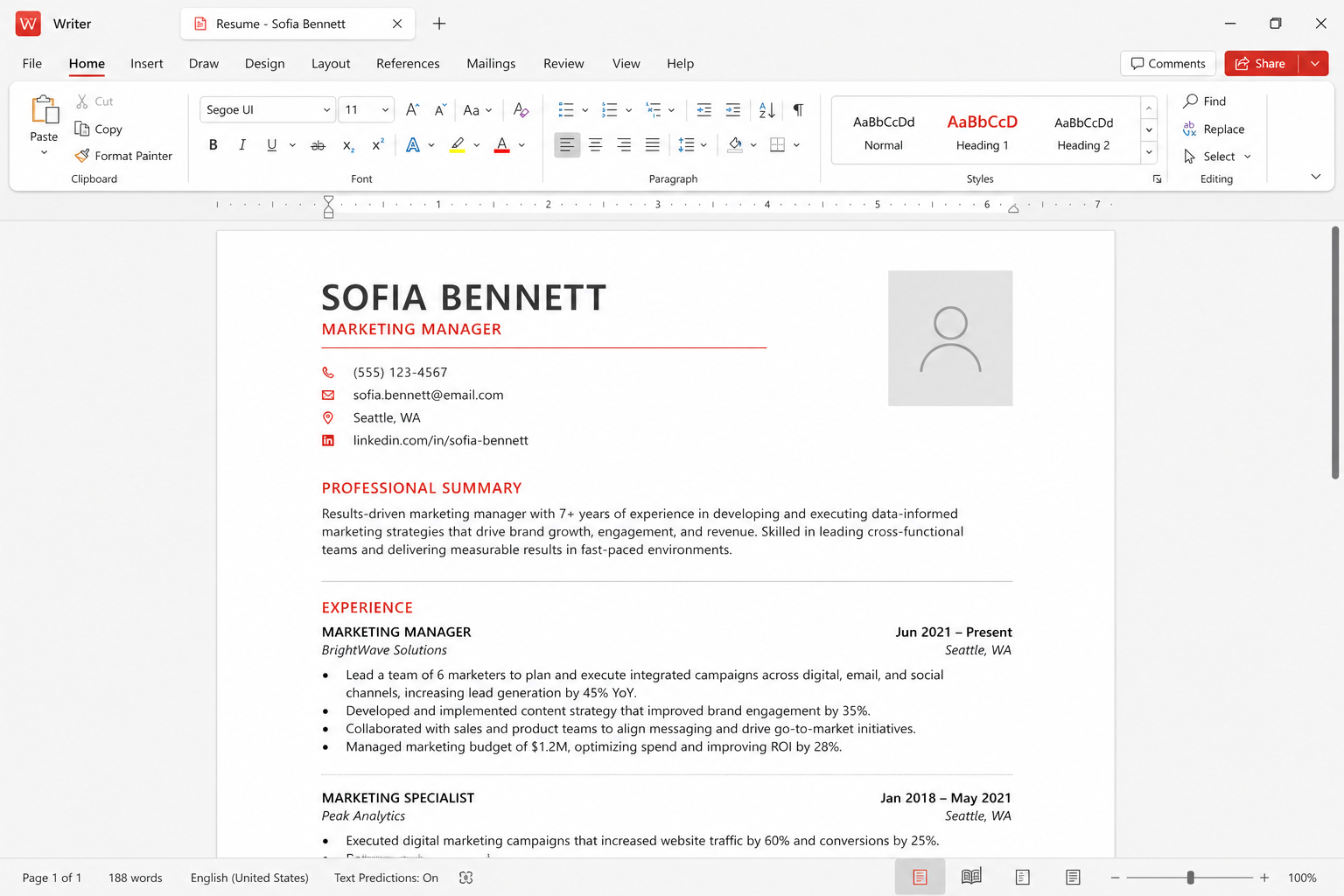
First-class formats, not a magic translator
Kingsoft built WPS to live in a Microsoft-shaped world. You save a thesis as DOCX and a Windows lab running Word will usually open it. You email an XLSX invoice and Excel will usually calculate it. You send a PPTX and PowerPoint will usually play it. That loop is why students, teachers, and shops pick WPS instead of a format island. The free tier’s “about 47 formats” marketing includes older DOC/XLS/PPT and a pile of import types. Daily life is still four letters: DOCX, XLSX, PPTX, PDF.
Compatibility is not the same as identity. Microsoft still defines edge behavior: SmartArt that was designed yesterday, an Excel dynamic array that a textbook has not caught up to, a PowerPoint transition that exists to impress a keynote hall. WPS aims at the documents people actually circulate. Test the file you care about. Do not test a blank document and declare victory.
Fonts are the number-one “WPS ruined my file” thread
Calibri, Cambria, Wingdings, and Symbol are not installed on every Mac, every Ubuntu laptop, or every fresh Windows N edition. WPS will substitute. Headings wrap. A resume that was one page becomes one page plus two lines. A slide that used a symbol font for checkboxes becomes empty rectangles. This is not a corrupt download. It is a missing face.
Fixes that are legal: install fonts you have a license to use; ask the author to export PDF; switch the document to a family you know exists on the receiving machines (Times New Roman, Arial, or a metrically compatible substitute). Fixes that are not: downloading a “Windows fonts pack” from an ad. Linux users hit this hardest. Mac users who never installed Office hit it next. Windows users hit it when a designer used a paid display face and only sent the DOCX.
Writer: styles, tracked changes, and mail merge
Simple styles — Heading 1, Normal, a table of contents — round-trip well. Manual spacing, text boxes stacked like a poster tool, and third-party citation add-ins are where pages jump. Tracked changes from Word generally appear. Do not assume every balloon and every formatting change survived if the document is a legal redline. Open a copy in Word before you accept all changes and call the negotiation done.
Mail merge works for everyday labels and letters. A merge that depends on a Word-only data source or a macro should stay in Word. Teachers printing 90 certificates should do a three-name test print first. Students should keep the university template in the format the graduate school published, even if that means using a campus Word seat for the last pass.
Spreadsheet: calculation, charts, and the VBA line
Ordinary formulas, filters, and charts are the job Spreadsheet was built for. Large workbooks are happier in a 64-bit desktop build than on a phone. Pivot tables and lookup patterns that are common in office life usually calculate. The failure mode is not “SUM is wrong.” The failure mode is a named range, an external link, or a volatile function that Excel treats as a feature and everyone else treats as a surprise.
VBA is the hard stop. A production workbook with macros is an Excel artifact. Open it read-only in WPS if you only need to read values. Do not become the new author. Do not disable warnings and click Enable because a supplier emailed an XLSM named Invoice. Macros are a security topic as much as a compatibility topic. Microsoft 365 wins this row on the compare page for a reason.
Presentation: fonts, media, and the projector
Title-and-bullet decks survive. Embedded 4K video, uncommon codecs, and fonts used only in a master may not. Always stand in the room with the actual projector and the actual clicker before a graded talk or a client pitch. Export a PDF backup and a video backup if the talk cannot fail. F5 still starts a slideshow on desktop; details on shortcuts.
If you edit a campus PPTX on Linux to change one date, you can still shift every footer. Make the date change, then walk the master and the handout view. If the file must look identical to the Windows original, change the date on Windows or freeze PDF for distribution and keep the PPTX only for the presenter.
PDF as the peace treaty
PDF is how you stop the argument. Export from the suite that already paginated correctly. Reopen the PDF in a second viewer — a browser, a phone, Adobe, WPS. If page 12 is still page 12, you are done. Free WPS covers basic PDF. Heavy convert and OCR may sit behind Pro+. See pricing. A PDF is not editable source. Keep the DOCX too.
The free tier’s format count and the 46-language story do not override a printer. Print a two-page sample. Android and iOS are fine for comments and worse for final pagination. The web version substitutes fonts like any other thin client.
A compatibility ritual you can reuse
- Keep a “golden” copy you do not overwrite.
- Open in WPS. Note font substitutions immediately.
- Scroll every section break, table, and slide master.
- Export PDF. Open the PDF somewhere else.
- If VBA or a Word-only add-in is involved, finish in Microsoft 365.
Related: Windows, downloads, why the suite chases Office, file associations after removal.